Ctrl+Win
hold · speak · let go
The text appears where your cursor blinks.
Guide · Privoscribe · Privoscribe AI
Two shortcuts, one small card, everything on your PC. How to dictate, how Privoscribe AI writes for you – and what happens under the hood.
hold · speak · let go
The text appears where your cursor blinks.
hold · speak · let go
A card shows the finished text, Ctrl+Enter inserts it.
Privoscribe AI does everything Privoscribe does: Ctrl+Win without Alt simply types there, too.
01
Two ways: the small setup file that fetches only what your PC needs – or the offline package with everything included. Both install without administrator rights, just for you.
The setup file from this website – for Privoscribe or Privoscribe AI. It is small: it fetches the actual installer itself.
On the first start Windows may warn: “Windows protected your PC”. Click More info, then Run anyway. The setup file downloads the installer, checks it and starts it.
Folder, shortcuts, “Start with Windows” – for Privoscribe AI also the AI model. Then the installer fetches the parts and the app starts.
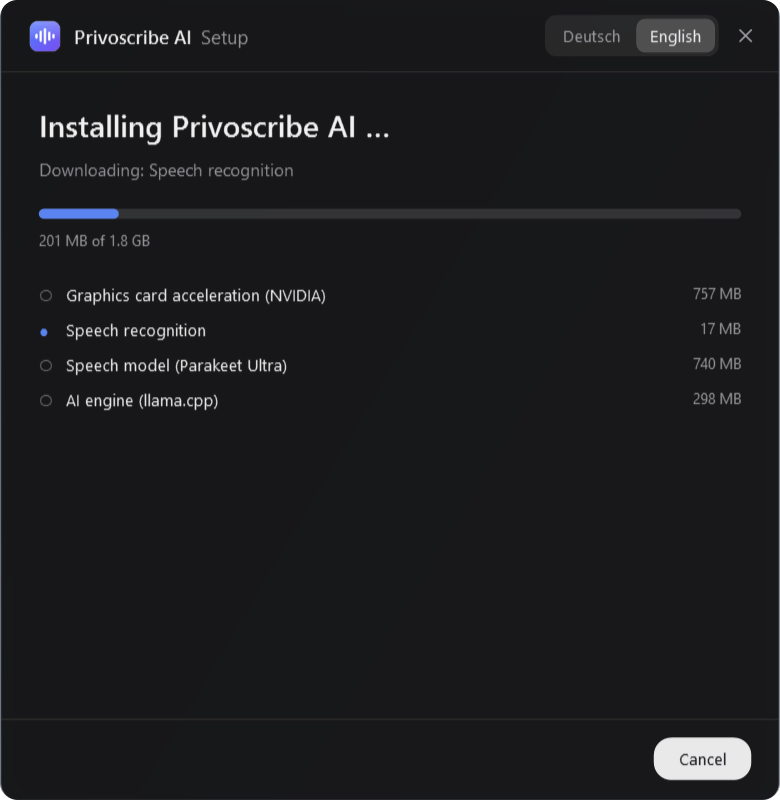
%LOCALAPPDATA%\Programs\Privoscribe or …\Privoscribe AI.02
Both editions do this – in every program you can type in: your mail app, the browser, a chat, a word processor.
Said Just wanted to check if our meeting on Monday is still on. If not, just let me know.
Hold Ctrl+Win. The pill appears at the bottom centre: Privoscribe is listening.
Just talk, pauses and “um” included. Speech recognition adds punctuation and capitals itself.
A moment later the text is at your cursor.


Once started, Privoscribe sits quietly in the notification area at the bottom right and waits for your shortcut. From then on it starts with Windows – you can switch that off in the settings.

03
Privoscribe AI turns your words into a finished text – an email, a message, a note, even in another language. Just add Alt.
Said Hi Mister Miller, um, quick question, is our appointment on Monday at ten still on? If not, just let me know. Cheers, Lena.
| Ctrl+Win | plain dictation – exactly like Privoscribe, no AI |
|---|---|
| Ctrl+Alt+Win | write with AI – the pill turns blue |
Already holding Ctrl+Win? Add Alt and the same recording becomes an AI recording. Prefer a single shortcut? Choose “One shortcut” in the settings; then “Write with AI” in the icon’s menu decides whether Ctrl+Win dictates or writes.

When you let go, a card appears next to your cursor with what Privoscribe heard. Fix any mishearing right in the text.
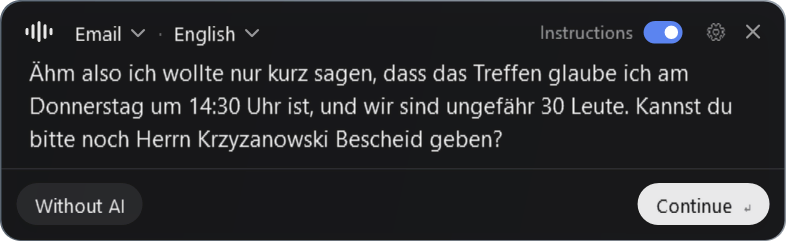
Gemma rewrites and translates in the same pass. On a graphics card that usually takes about a second.
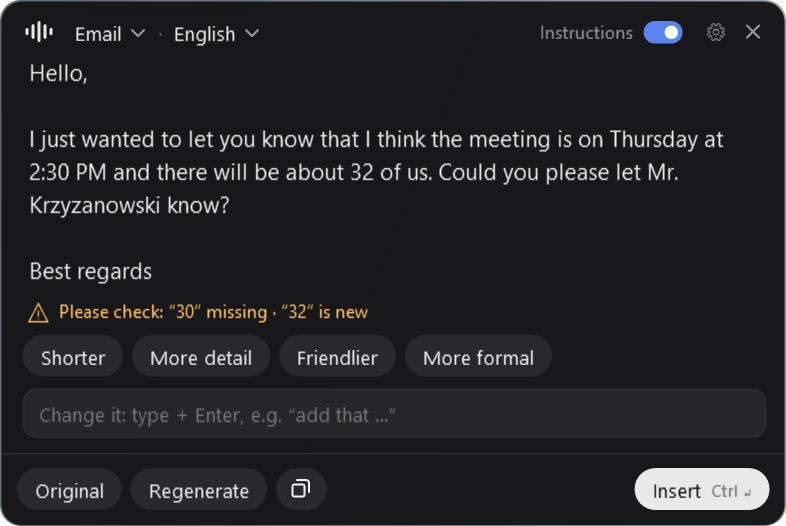
Each change takes about a second; the back arrow brings the previous version back. Whatever you added yourself doesn’t count as invented in the fact check. With “More detail” the small model likes to embellish a little – give it a quick read.
If the AI changes or drops a number, a date, a time, an amount, a percentage, an email address, a link or a phone number – or deletes an “I think” – the card marks it in yellow. Across languages, too: “14:30” is “2:30 PM”, “Donnerstag” is “Thursday”. Your transcript is always kept.
| Enter | on to the AI (transcript card) |
|---|---|
| Shift+Enter | new line |
| Ctrl+Shift+Enter | insert without AI |
| Ctrl+Enter | insert the result |
| Ctrl+R | regenerate |
| Ctrl+O | back to the original |
| Ctrl+1 … 9 | choose a preset |
| Ctrl+L | choose the output language |
| Esc | cancel |
Say what you want instead of dictating the text: “Write my landlord that the heating has been broken for a week and he should send someone.” You get a finished letter with greeting, request, thanks and sign-off. If a dictation starts with “Write …”, “Reply …” or “Draft …”, the card picks this preset on its own and tells you.
The facts come only from you. Anything missing is written around – or, if you switch on “Placeholders for missing details”, becomes a [placeholder] to fill in.
Select and copy a message (Ctrl+C), click into the reply box, hold the AI shortcut and say what you want to answer: “Say yes, but only from 3 pm.” The reply comes in the message’s language and matches its tone.
For this, Privoscribe AI keeps only the text you copied last – for three minutes, in memory. It ignores passwords copied from password managers.
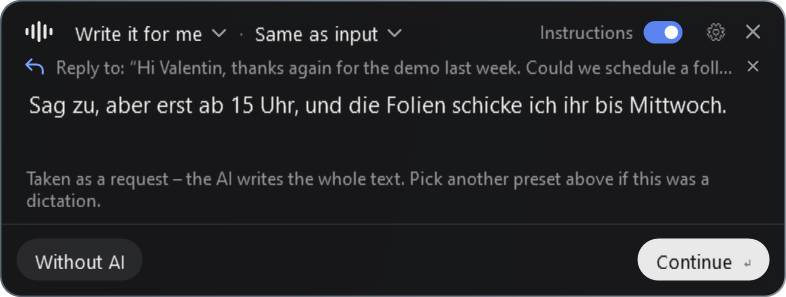
Privoscribe AI sets the tone with fixed rules, from what you said – not the model:
| You say | The email starts | and ends |
|---|---|---|
| “Hi Mr Wagner …” | Dear Mr Wagner, | Kind regards |
| “hey Max …” | Hi Max, | Best |
| “Hi all …” | Hi all, | Best |
| nobody in particular | Hello, | Kind regards |
If you end with “Cheers, Lena”, the name goes under the sign-off – even after “Shorter” and friends. German emails get the matching German forms, from Sehr geehrter Herr … to Viele Grüße, with the right formal or informal “you”.
04
Ten presets are built in, and you can add your own. The output language is independent of the language you speak.
| Preset | What it does |
|---|---|
| Clean up | Removes filler words and slips, fixes punctuation and grammar. Your words stay. |
| Write it for me | Say what you want – the AI writes the whole text, emails with a subject. |
| Natural | Turns spoken language into fluent, natural text. |
| Formal | Professional and polished without being stiff. |
| An email with greeting and sign-off. Never invents names. | |
| Message | Short and casual, for chats and texts. |
| Notes | Bullet points, with short headings where useful. |
| Summary | The essentials in a few sentences. |
| Scientific | Clear academic language. Never invents sources or numbers. |
| Translate | A faithful translation into the output language – nothing shortened, added or restyled. |
To see the same words as a note, a message or an email, turn the preset dial on the home page – with real outputs.
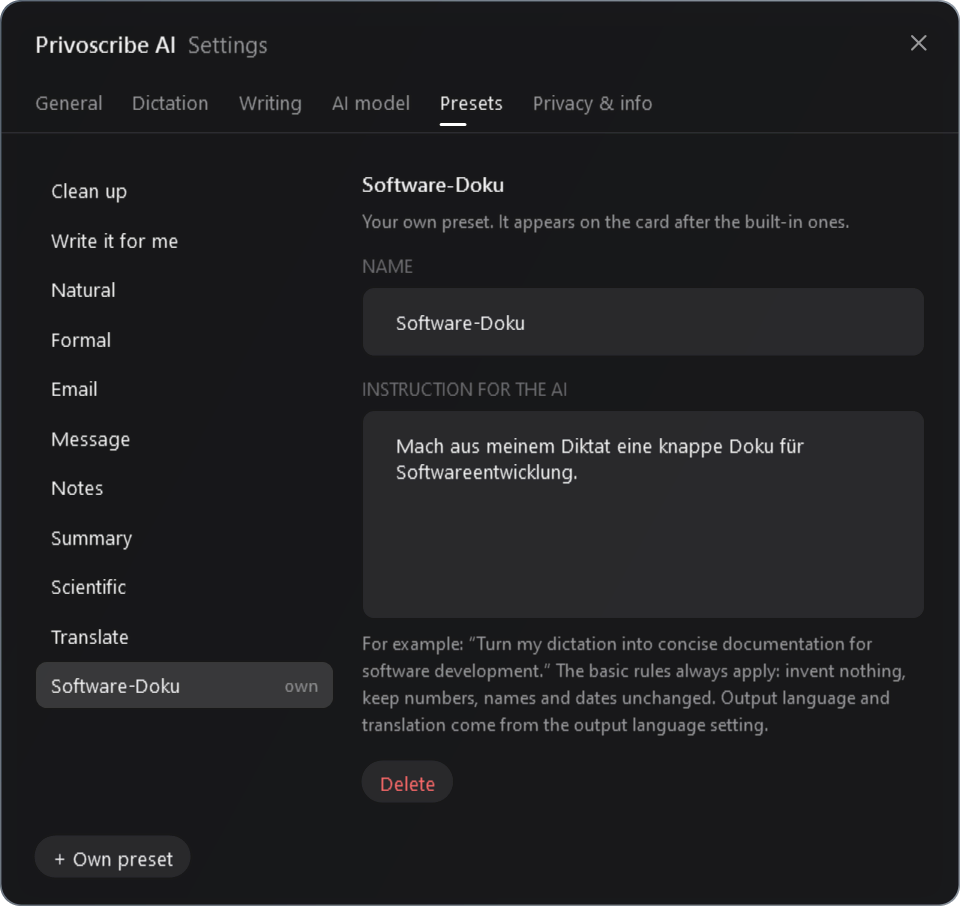
Under Settings → Presets you give a preset of your own a name and an instruction, such as “Turn my dictation into concise documentation for software development.” The basic rules always apply: invent nothing, keep numbers, names and dates unchanged.
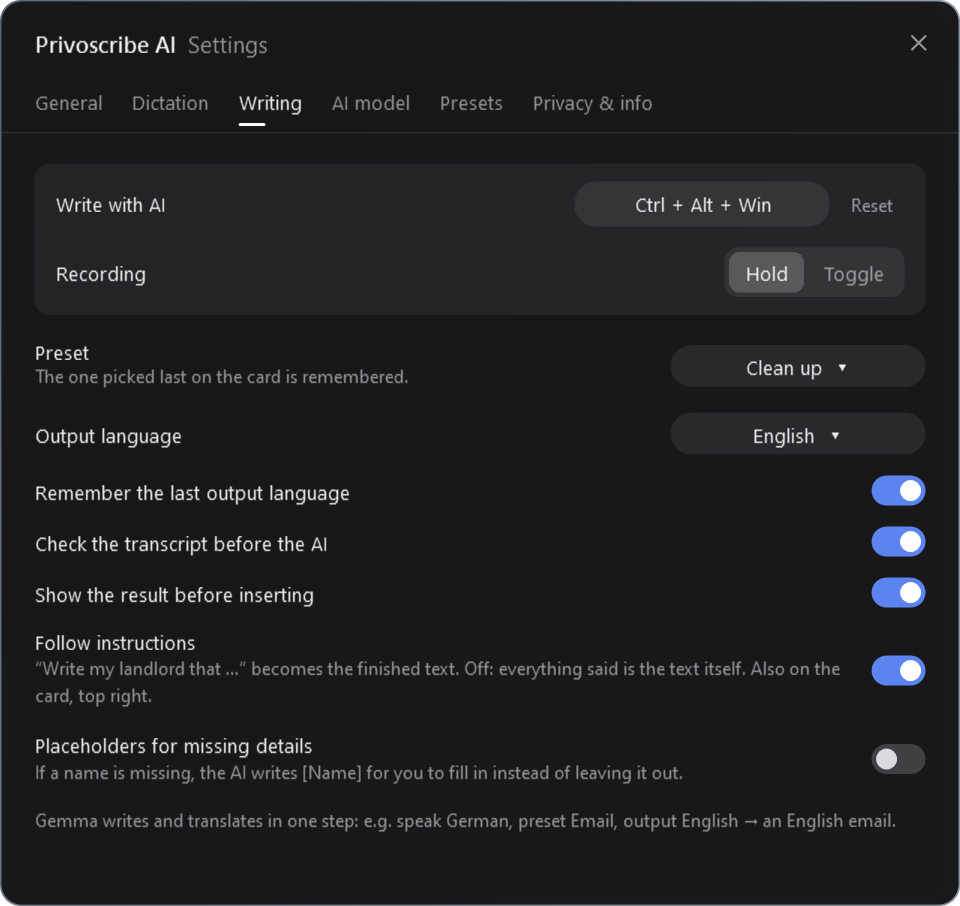
“Same as input” (the default), German, English, French, Spanish, Italian, Portuguese, Dutch, Polish, Czech, Swedish, Danish, Norwegian, Finnish, Romanian, Turkish, Ukrainian, Russian, Arabic, Chinese, Japanese, Korean, Hindi – or “Other language …”. Gemma isn’t equally good at all of them.
Speak German, preset Email, output English: you get an English email. “Translate” with “Same as input” turns German into English and English into German.
Speech recognition understands 25 European languages and notices by itself which one you speak: Bulgarian, Croatian, Czech, Danish, Dutch, English, Estonian, Finnish, French, German, Greek, Hungarian, Italian, Latvian, Lithuanian, Maltese, Polish, Portuguese, Romanian, Russian, Slovak, Slovenian, Spanish, Swedish and Ukrainian.
05
Open Privoscribe again while it is running – from the Start menu or Windows search. Or click its icon in the notification area at the bottom right; Windows likes to hide new icons behind the arrow ^.
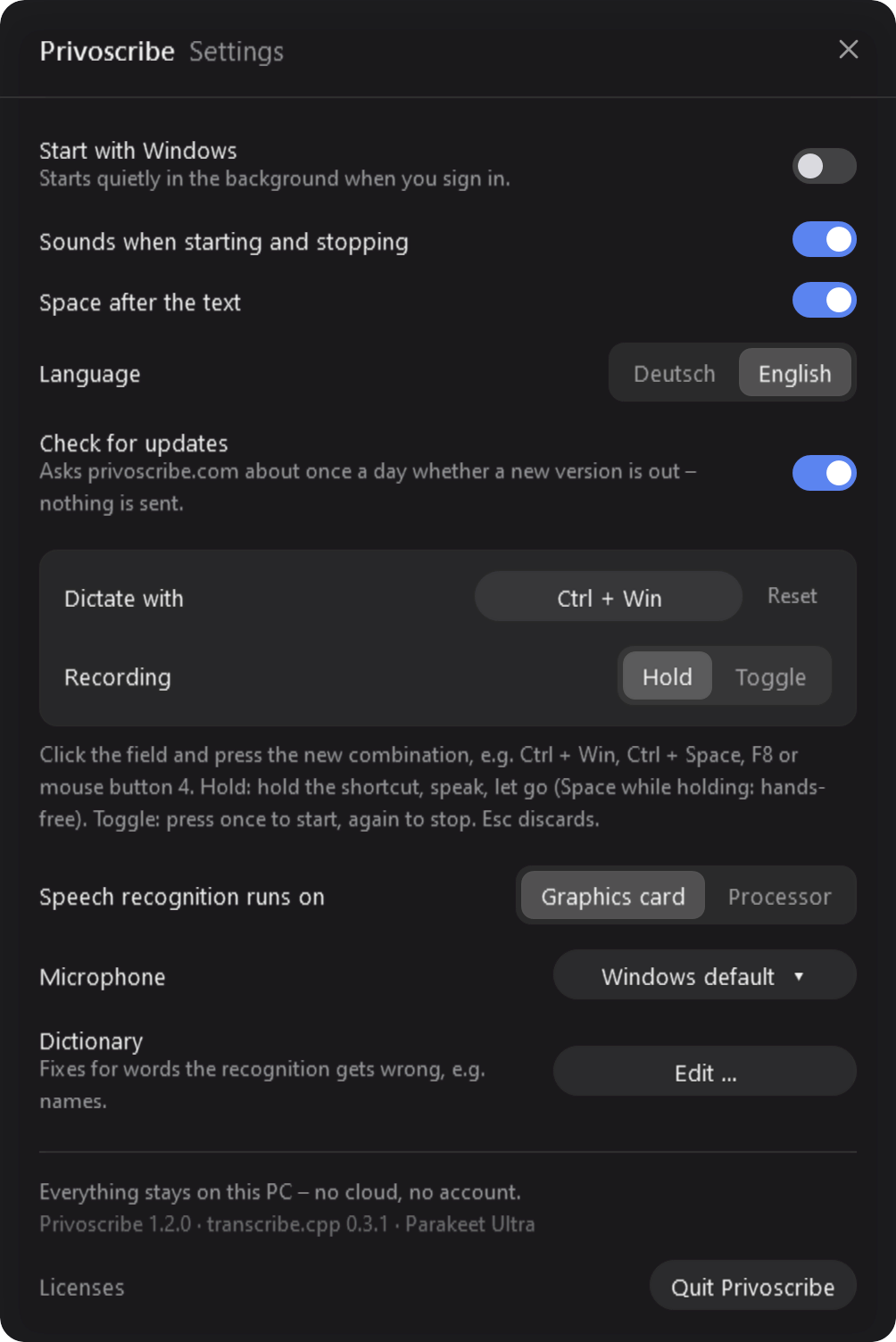
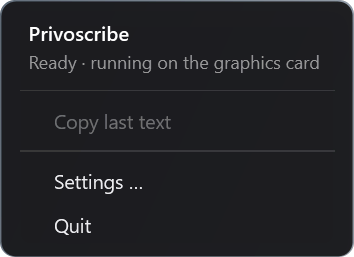
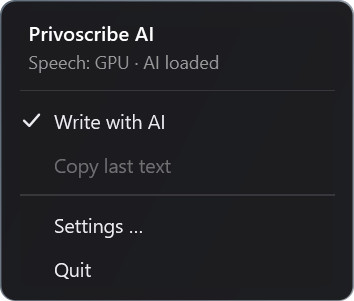
Right-click the icon for a short menu: copy the last text, settings, quit. With a single shortcut, Privoscribe AI also offers “Write with AI” there.
06
Two open models, two fast programs, no server. This is how your voice becomes text, step by step.
Listening
It listens closely and is still small: on a graphics card it recognises a sentence in a fraction of a second, and even on the processor it is faster than you speak. It punctuates by itself and notices your language without a setting.
Writing
Built for devices, not data centres. It follows instructions closely, writes well in many languages and fits on an ordinary graphics card at 4 bits. Because it was prepared for 4 bits during training (quantization-aware training), it loses hardly any quality.
| Property | Fast · E2B | More accurate · E4B |
|---|---|---|
| Download | 3.3 GB | 5.2 GB |
| For | any PC – even without a graphics card | PCs with a graphics card of 6 GB or more |
| Writing | decent, with small slips | noticeably better, understands more |
| Speed | fast | about half as fast |
You download the model once in Privoscribe AI, under Settings → AI model – verified by checksum, resumable and removable. Plain dictation works without it.
Listening and writing are different jobs. A small model that only listens is faster and more accurate than a big one that is meant to do everything – and Privoscribe without AI needs only this one.
With an NVIDIA graphics card both models run on CUDA. On AMD and Intel, Privoscribe tries Vulkan, otherwise the processor – that always works, just slower. “Automatic” switches to the processor when a game or a 3D program is using the graphics memory.
That depends on your PC. On a graphics card a sentence is usually recognised in a fraction of a second and rewritten in about a second. On the processor, rewriting takes a few seconds, and noticeably longer with E4B. The times on the home page were measured on an NVIDIA GeForce RTX 2080 Ti.
While Privoscribe waits for your shortcut, it does practically nothing. Gemma is only loaded once you start speaking with AI – alongside the recording – and frees its memory after 15 minutes without use (adjustable). Gemma runs as a separate process: if it ever crashes, Privoscribe AI carries on, and your transcript is still there.
07
What you say does not leave your PC. That isn’t a setting – it’s how it is built.
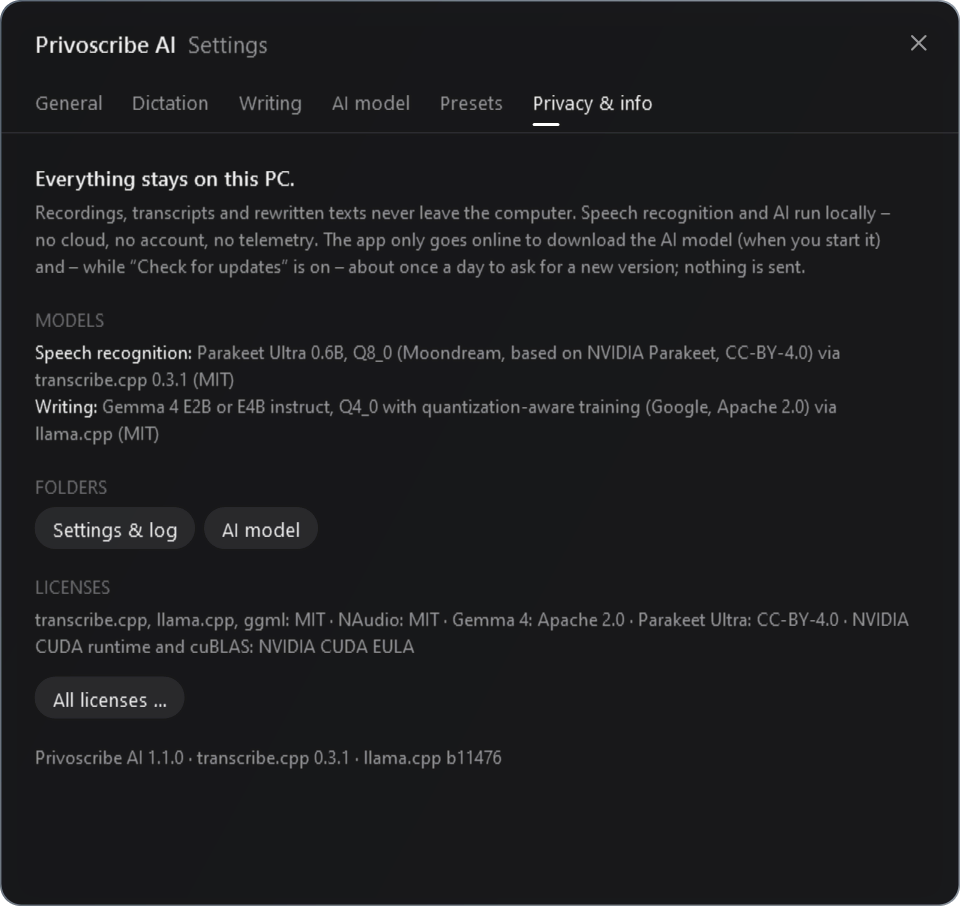
| What | Folder |
|---|---|
| Settings, dictionary, log | %APPDATA%\Privoscribe%APPDATA%\Privoscribe AI |
| AI models | %LOCALAPPDATA%\ |
08
09
Nothing. No subscription, no account, no ads.
Only to install – with the offline package not even for that. After that everything runs offline, even in airplane mode. About once a day the app asks for updates; you can switch that off in the settings.
Privoscribe is not digitally signed (yet). Click “More info”, then “Run anyway”. The installer it downloads next is checked by the setup file itself. The files’ checksums are listed with the download.
If you only want to dictate: Privoscribe – small and fast. If your words should also become emails, messages or translations: Privoscribe AI. It does everything Privoscribe does. Both listen to the same shortcut, so only one runs at a time; Privoscribe AI offers to close Privoscribe when it starts.
Pick another shortcut in the settings, such as F8 or mouse button 4.
Some windows run with administrator rights and don’t accept input from normal programs. Use “Copy last text” in the icon’s menu.
It fetches what a server would otherwise do: the speech recognition model (0.7 GB), with an NVIDIA graphics card its runtime (0.8 GB), and for Privoscribe AI the AI model (3.3 or 5.2 GB). In return, Privoscribe needs no internet afterwards.
No, only for Windows.
Your question isn’t here, something doesn’t work or you have an idea? Write to me →
10
Privoscribe stands on the shoulders of open software. Thank you to everyone who builds it.